
Why Variant Swatches on Your Product and Collection Pages Pay Off for Merchants
If your Shopify store still relies on plain text dropdowns for variants, you’re leaving conversion and clarity on the table. Shoppers prefer to see and click options—whether colors, images, buttons, or dropdowns—directly on the product page (PDP) and on collection pages. Here’s what each type of swatch can do for merchants and why tools like GROOPIE: Product variants make it easier to offer them.
#Why Swatches Matter on the Product Page (PDP)
On the product detail page, the variant picker is one of the first things a customer uses to decide. Replacing a single dropdown with visual swatches changes how people shop:
- Less cognitive load — Shoppers recognize options at a glance instead of opening menus and reading text.
- Faster decisions — Visual feedback (color circles, thumbnails, or buttons) makes it clear what they’re selecting.
- Higher perceived quality — A store that shows color or image swatches looks more polished and trustworthy.
Research consistently shows that color is a major purchase driver; many buyers decide based on how the option looks, not just the label. Giving them that view right on the PDP removes a common point of friction.
#What Each Swatch Type Delivers for Merchants
#Color Swatches
Ideal for solid-color products (e.g. T-shirts, basics). Merchants get:
- Instant recognition — Shoppers see “blue” or “red” as a small color circle instead of reading text.
- Consistent branding — Use your brand or product hex values so colors match what you sell.
- Mobile-friendly — Large tap targets and clear states improve mobile conversion.
Use color swatches when the main differentiator is color and you don’t need a different image per option.
#Image Swatches
Best when each variant looks different: patterns, materials, or distinct designs. Benefits:
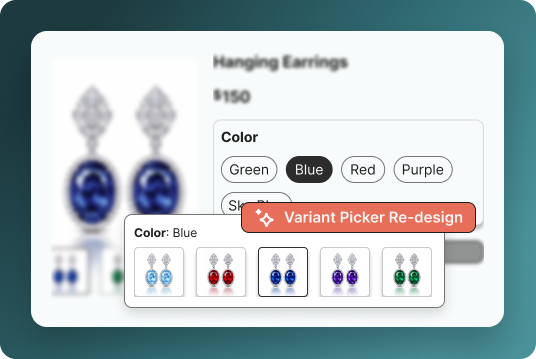
- Exact representation — Customers see the real product (e.g. wood grain, print) instead of a single color dot.
- Fewer returns — What they see on the page is closer to what they receive.
- Stronger on PDP — Variant images next to the main image make the picker informative, not just decorative.
Image swatches often outperform flat color dots when texture or pattern matters.
#Button Swatches
Use for options that are more like “choices” than “colors”: size, style, or simple variants. Value for merchants:
- Clear selection state — Buttons can show selected vs unselected clearly (border, background, checkmark).
- Accessibility — Buttons are easy to tab and tap, and work well with screen readers.
- Flexible styling — You can match your theme (pill, outline, filled) without changing functionality.
Button swatches work well alongside color or image swatches when you have multiple option types (e.g. color + size).
#Dropdown Swatches
When there are many options (e.g. 20+ sizes or colors), a dropdown keeps the layout clean:
- Saves space — One compact control instead of a long row of swatches.
- Familiar UX — Shoppers know how to use a select; no learning curve.
- Scalable — Same pattern works for 5 or 50 options.
Offering both swatches (for a few options) and a dropdown (for long lists) gives merchants flexibility. Apps like GROOPIE: Product variants support image, button, and dropdown styles so you can mix and match by product or collection.
#Why Collection Page Swatches Matter
When variants are visible on collection pages, shoppers don’t have to open every product to see colors or styles. That:
- Cuts unnecessary clicks — Shoppers can compare options without opening each PDP.
- Improves discoverability — All variants can be represented (e.g. each color as a small swatch on the card).
- Raises add-to-cart potential — Faster, more confident choices lead to more adds from the collection grid.
Stores that show variant swatches on collection pages often see better engagement and conversion because the path from “browse” to “choose” is shorter.
#Bringing It Together: One App for PDP and Collection
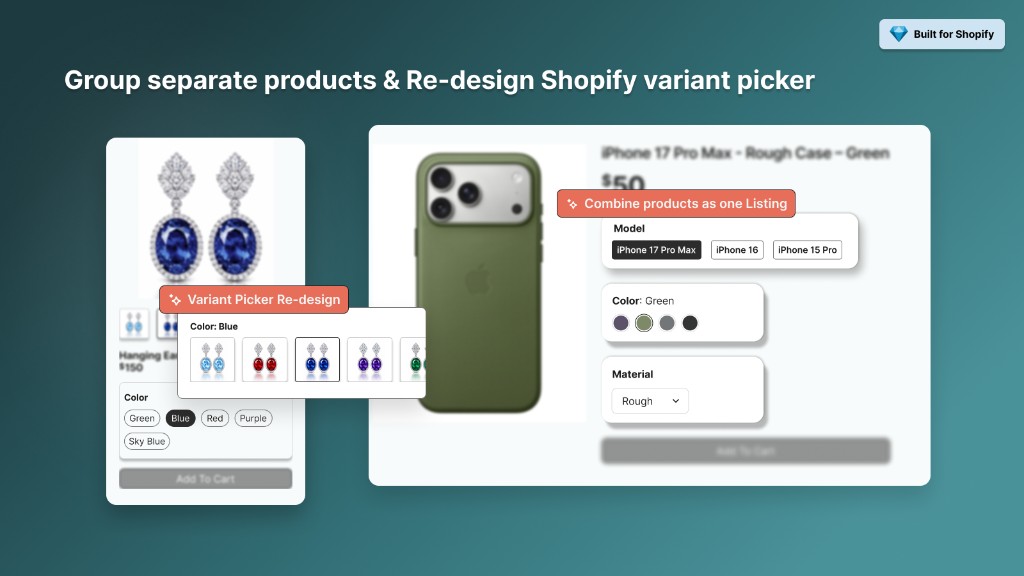
GROOPIE: Product variants is built for Shopify merchants who want a single solution for variant presentation:
- Custom variant picker — Redesign the default picker with image, button, or dropdown swatches on the product page.
- Swatches on collection and search — Show color, image, or button swatches on collection and search results so shoppers see options before clicking through.
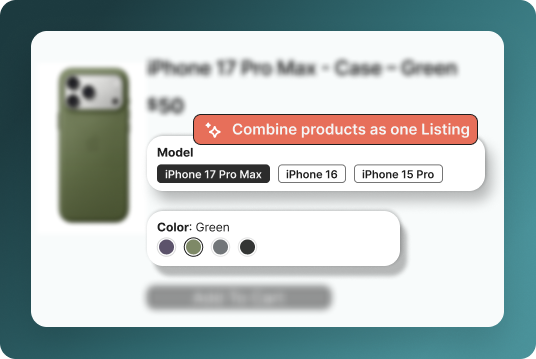
- Combined listings — Group related products (e.g. same item in different colors) as one listing while keeping separate product pages for SEO.
- Frequently Bought Together — Optional product groups on the PDP to increase average order value.
Everything is configurable in the theme editor, so merchants can align swatch style with their brand without code.
#Summary: Value for Merchants
| Swatch type | Best for | Main merchant benefit |
|---|---|---|
| Color | Solid-color products | Fast recognition, mobile-friendly, on-brand |
| Image | Patterns, materials, distinct looks | Fewer returns, accurate expectation |
| Button | Size, style, clear choices | Clear selection state, accessible, flexible |
| Dropdown | Many options | Clean layout, familiar UX, scalable |
Using the right mix on both product pages and collection pages reduces friction, supports faster decisions, and can improve conversion. Trying a free plan (e.g. Groopie on the Shopify App Store) is a low-risk way to test color, image, button, and dropdown swatches where it matters most—PDP and collection—and see the impact on your store.